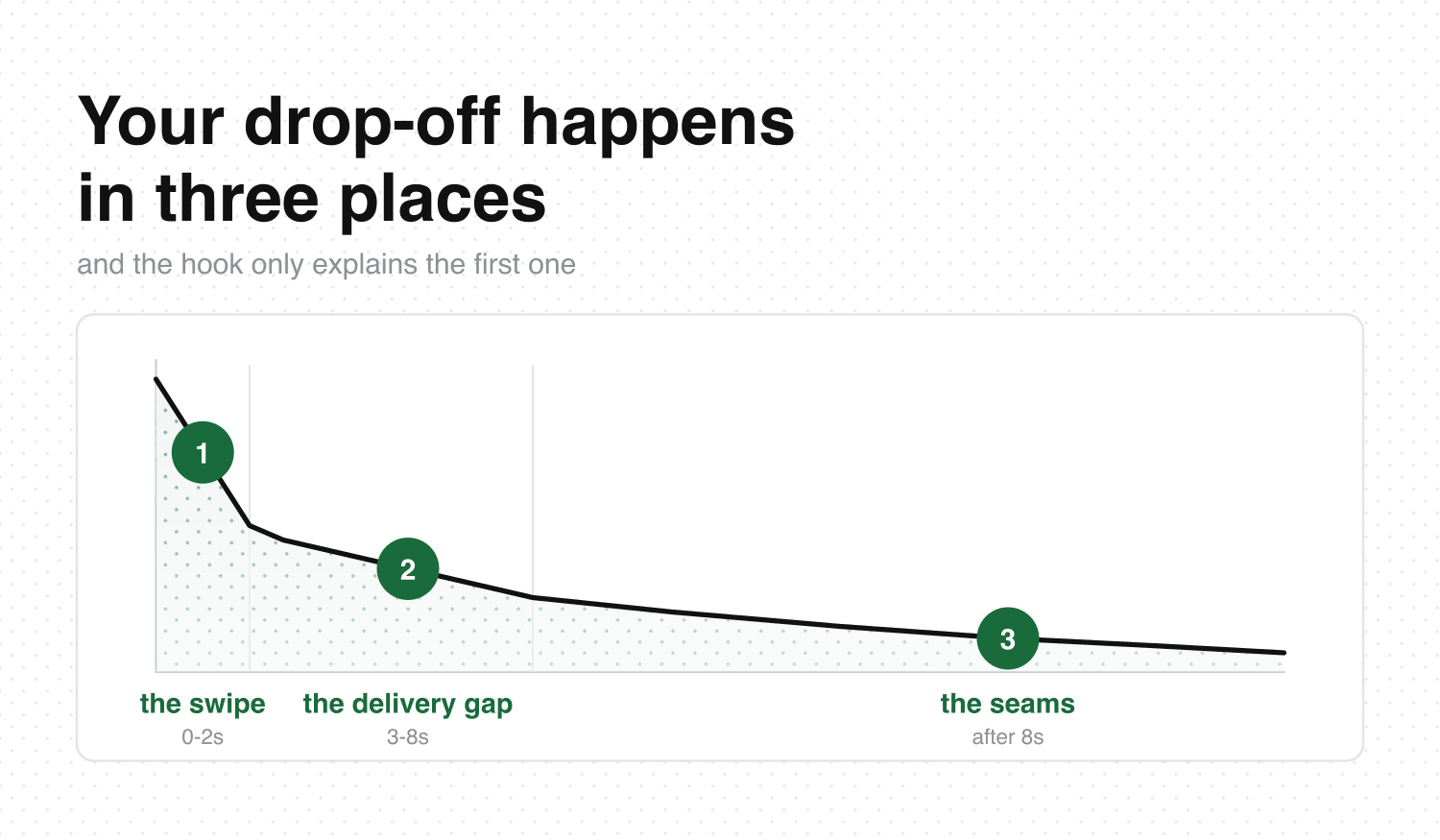
Your video holds for about two seconds. Then the retention graph falls off a cliff, flattens somewhere near the bottom, and sits there through the part you spent an hour on.
Almost everything written about drop off points at the first three seconds. So you rewrote the hook, posted again, and the cliff moved by half a second. Someone running five faceless accounts owes four more videos today. A teacher with one genuinely good explanation is watching people leave before the explanation starts. A freelancer’s UGC ad got skipped before the product was even in frame. The same shape on all three graphs. The hook explains the first fall in it, and there are two more after that.
What the graph is telling you
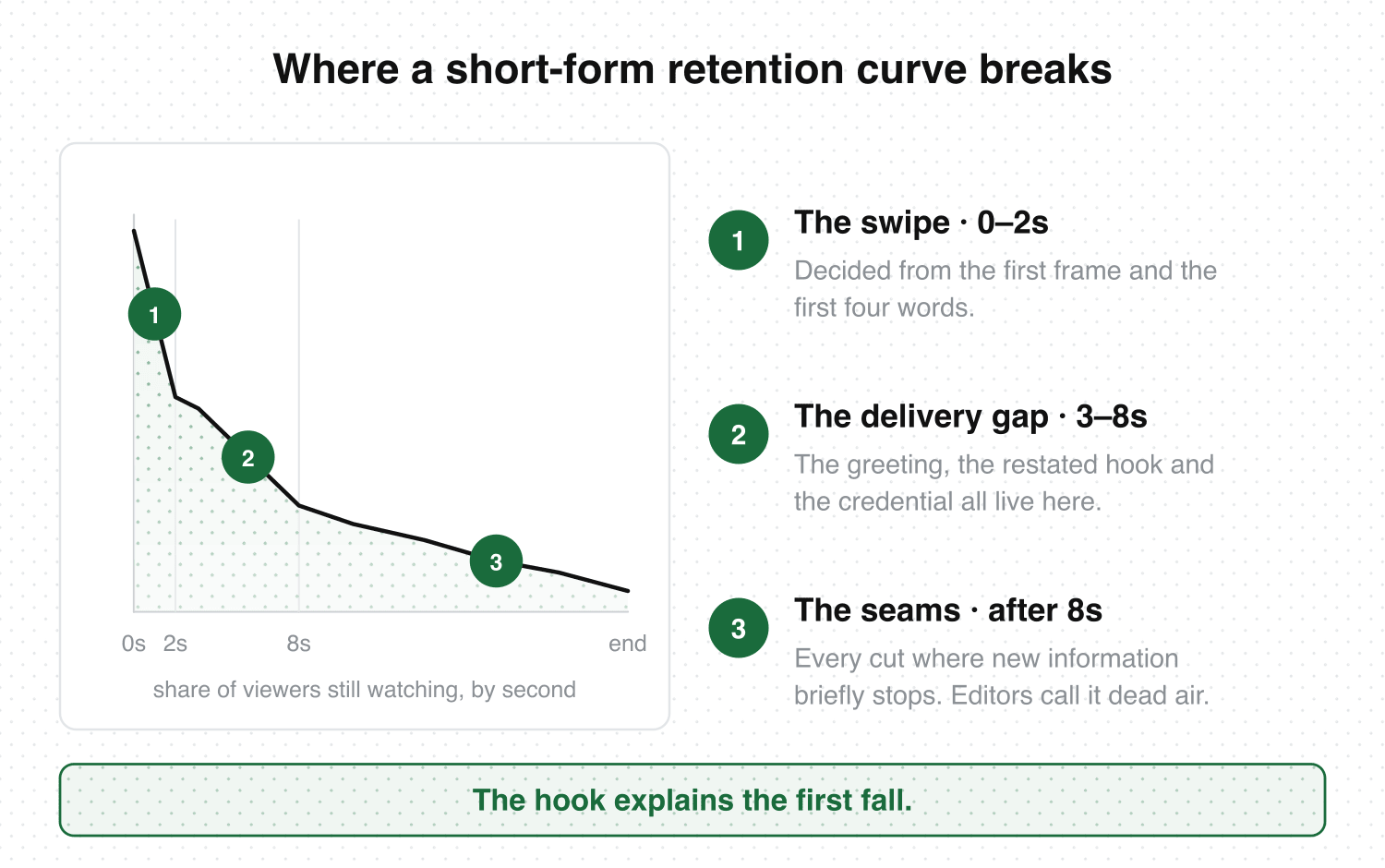
Drop-off is the share of viewers who leave at a given second of your video. On a retention curve it reads as a vertical fall, and on short-form it clusters in three places: the swipe (0–2 seconds), the delivery gap (roughly 3–8 seconds), and every seam after that.
Two numbers sit underneath that curve. Average view duration is how long the median viewer stayed. Completion rate is the share who reached the end. A 20-second video at 85% completion and a 55-second video at 35% can report the same average view duration while describing opposite videos, so read both.
One quirk before you panic at a number above 100%: on looping platforms, seconds that get replayed are counted again. Retention over 100% usually means your loop point is clean.
Open your last five videos, look at the curve on each, and mark the second it breaks. That second is the diagnosis.
Cliff one: the swipe
Everyone who leaves inside two seconds never opted in. They decided from the first frame and the first four words, before your edit got a chance to do anything. Nothing you change at second twelve moves this number.
In film the opening shot is an establishing beat — it orients the viewer in a place. On short-form you have about a second to orient them in a problem. The first frame has to show something already underway: hands mid-motion, a mess already made, a face mid-sentence. Then the first line is a flat statement of the thing itself. Our piece on direct address covers how to say it straight to camera without sounding like an ad read.
You can see where your own cliff sits. What your analytics won’t show you is what the videos without that cliff are doing at that same second — the one you saved last week because it held you all the way to the end. Hookova takes a Short you paste in and breaks it down beat by beat: where the hook lands, how long the first shot holds, what the on-screen text is doing while the audio does something else. The ones that stop your scroll get saved into a library that stays organized across TikTok, Instagram, and YouTube Shorts, so the reference is open in front of you the next time you plan a video. Run it on the last Short that held you to the end.
Cliff two: the delivery gap
This is the drop that gets misread as a hook problem. These viewers opted in and then got made to wait.
Three things live in seconds 3 through 8 and all three cost you the same viewers: the greeting, the restatement of the hook in different words, and the credential. Screenwriters talk about setup and payoff — a setup earns its screen time by planting something that pays off later. A restated hook plants nothing, so those seconds read as a stall.
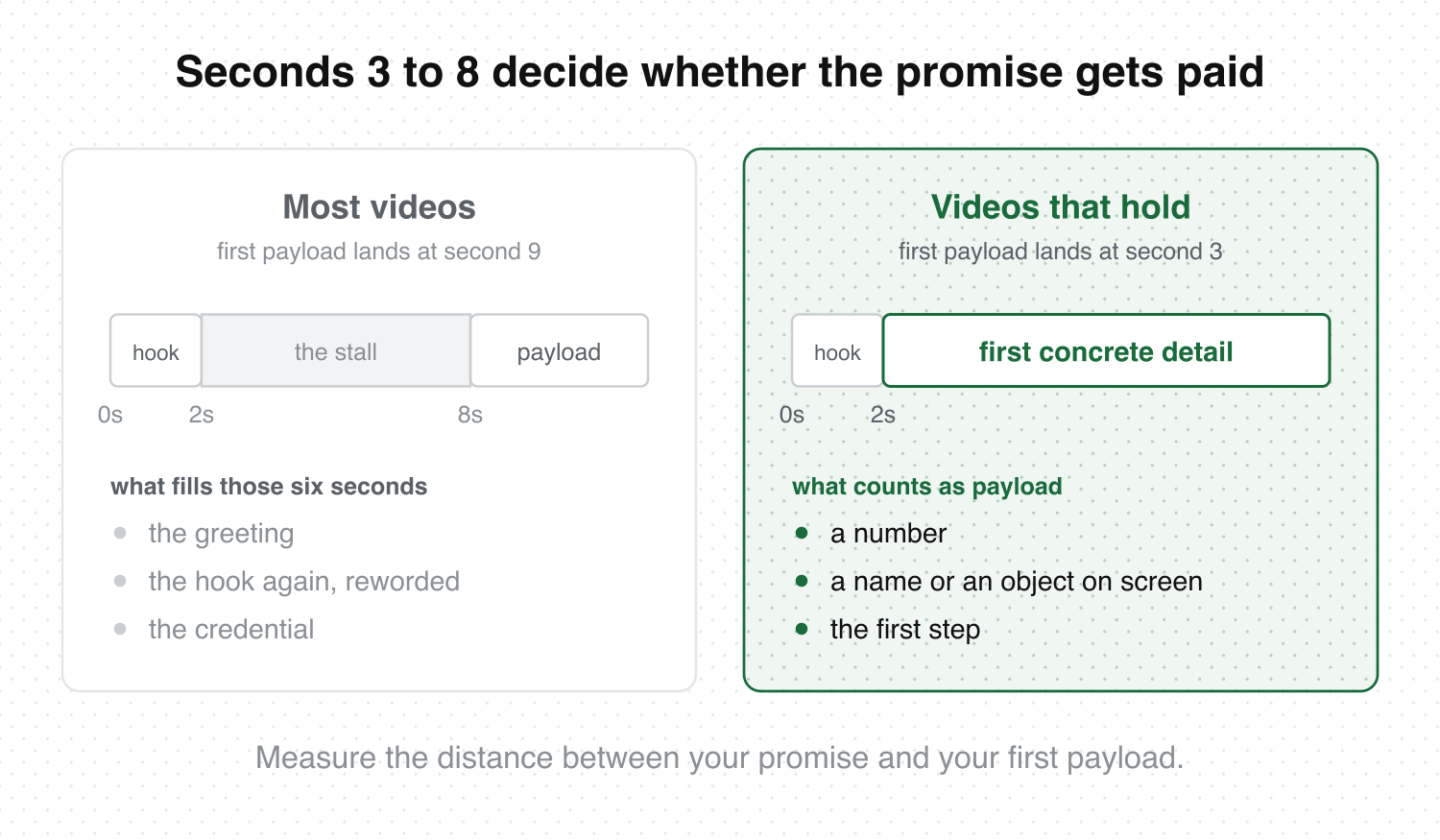
Measure the distance between your promise and your first piece of payload — the first concrete number, name, object, or step. Under three seconds is where you want it. If context is genuinely required, deliver it while something is moving on screen, and put the credential at second 20 where it reads as proof of a thing you already said.
Cliff three: the seams
After second eight the graph usually stops falling and starts sliding. Each small step down lands on a seam: a cut where new information briefly stops arriving. Broadcast editors call that half-second of nothing dead air, and on a feed it’s an exit ramp.
Two techniques close a seam. A J-cut brings the next clip’s audio in before its picture arrives; an L-cut carries the current audio underneath the next shot. Either one keeps a thread running across the join so there’s no gap to leave in. A pattern interrupt does the opposite job at the same moment — change shot size, angle, or audio texture exactly where the information changes, so the eye gets a reason to re-fixate. Our editing checklist has the pass where you go through and mark every seam.
The last seam is the one most people hand away. “So yeah, that’s it, follow for more” announces the video is over, and viewers take that as permission. Cut on the last word of the last useful sentence and let the final frame run into the first one.
The words this uses, in plain English
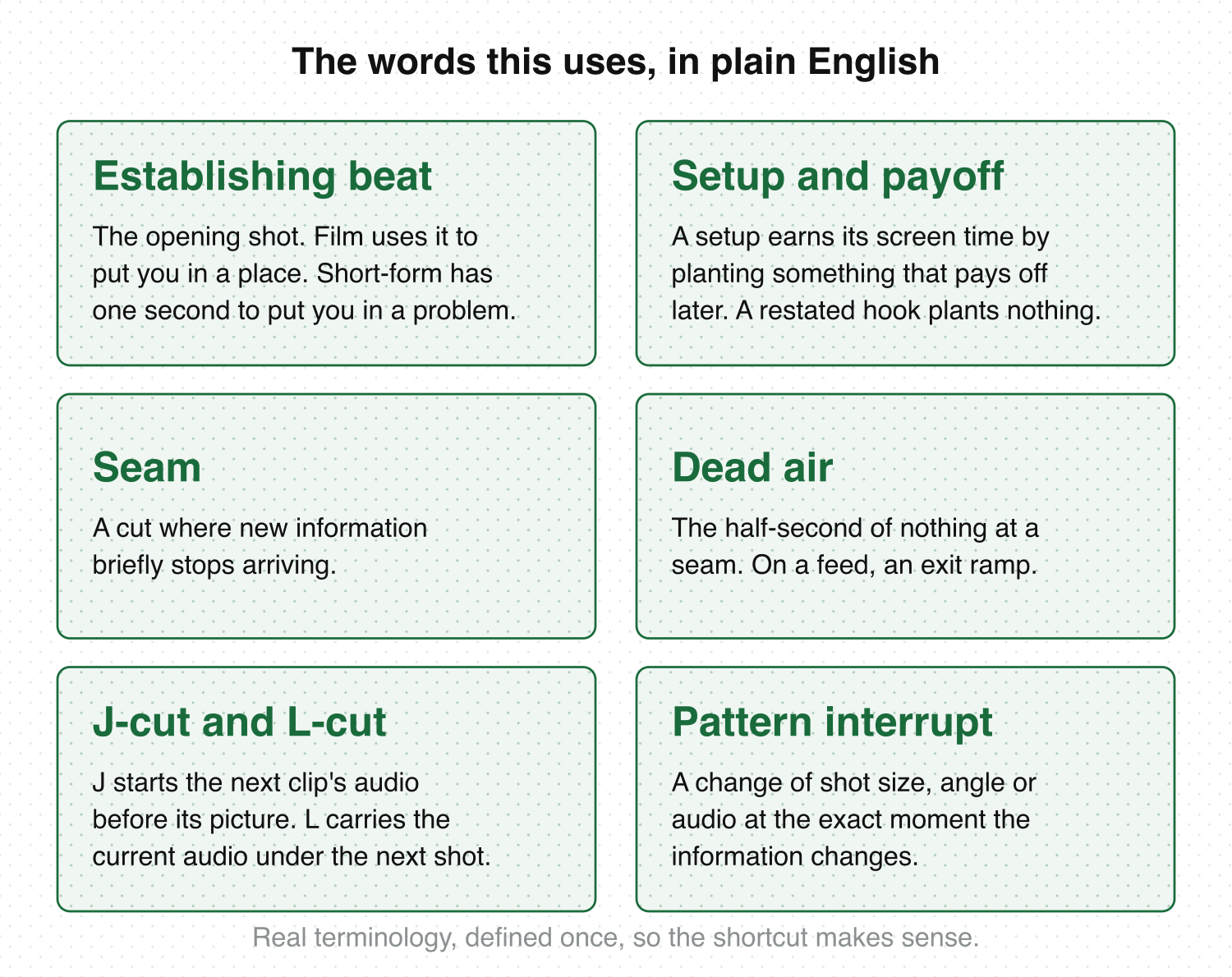
These come from film editing and screenwriting, where the vocabulary for why attention leaves already exists. Six terms carry most of it.
Establishing beat — the opening shot. Film uses it to put you in a place; short-form has about a second to put you in a problem.
Setup and payoff — a setup earns its screen time by planting something that pays off later. A restated hook plants nothing.
Seam — a cut where new information briefly stops arriving.
Dead air — the half-second of nothing at a seam. On a feed, that’s an exit ramp.
J-cut and L-cut — a J-cut starts the next clip’s audio before its picture arrives; an L-cut carries the current audio under the next shot.
Pattern interrupt — a change of shot size, angle, or audio at the exact moment the information changes.
What this looks like for how you work
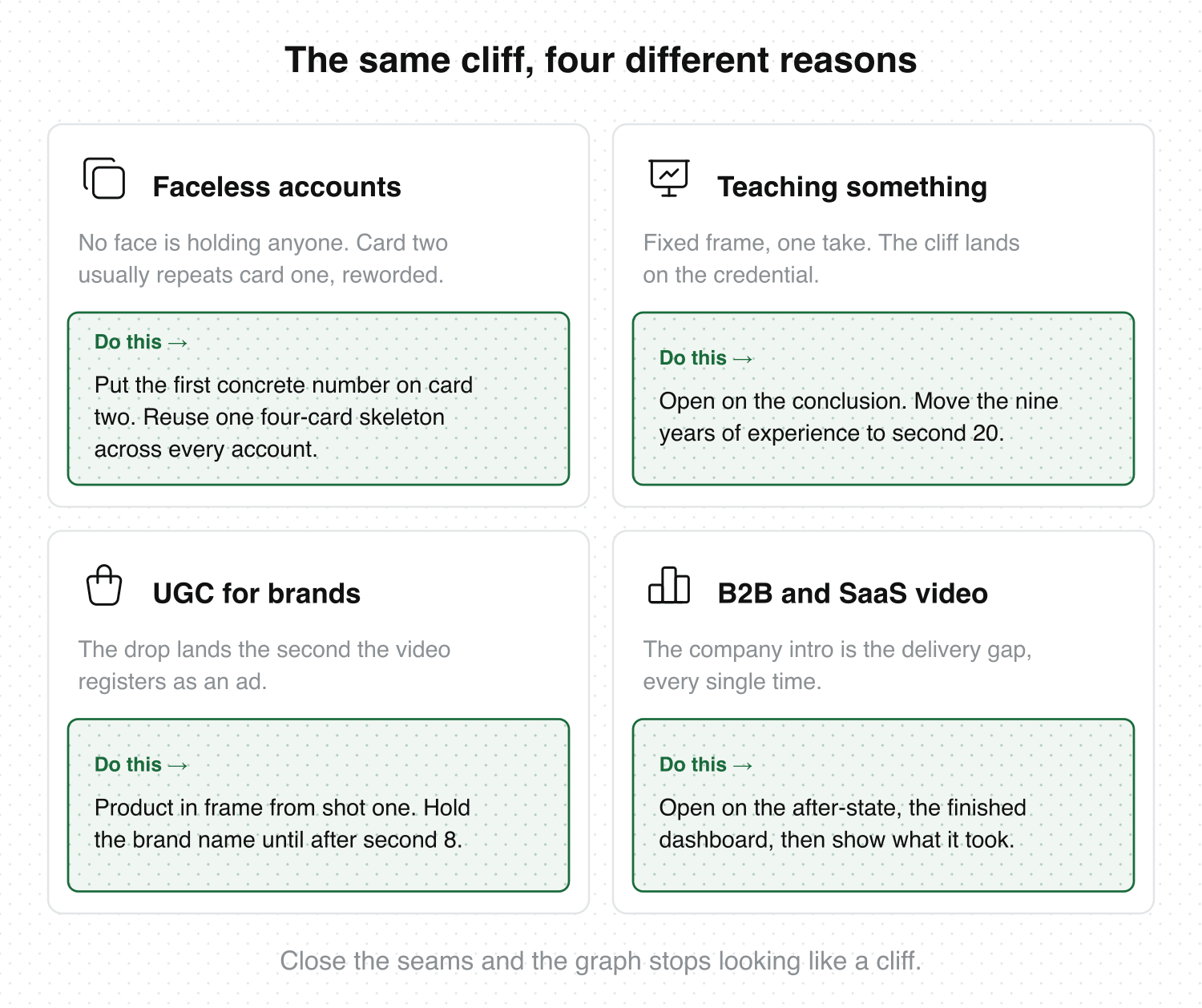
If you run faceless accounts, or several at once, no face is holding anyone, so retention rests entirely on the text cards and the cut rhythm. Your delivery gap is card two, which usually repeats card one in new words. Write card two so it carries the first concrete number or claim. Build a four-card skeleton once — hook card, first concrete detail, the turn, the loop line — and reuse it across accounts; text overlay covers how long each card should hold.
If you teach something, the frame is fixed, it’s one take, and the pull is entirely what you’re saying. Your cliff is at the credential. Open on the conclusion, spend seconds 3 through 8 on the single most surprising specific in the whole video, then go back and explain why it’s true. The nine years of experience land better at second 20.
If you shoot UGC for brands, your drop happens the second the video registers as an ad, which is usually when the brand name arrives before anything useful has. Keep the product in frame from the first shot doing the job it actually does, and hold the name until after second 8. Cut five openings against one body, post them across a week, and let the drop-off number choose.
If you make B2B or SaaS video, the company intro is your delivery gap every single time. Open on the after-state — the finished dashboard, the report that’s already built — then show what it took. You’re the one audience here with real analytics access, so run two openings against the same body and compare where each curve breaks.
Close the seams and the graph stops looking like a cliff. Our hook examples guide collects the openings that survive the swipe, and Hookova will take any Short you paste in and show you its structure second by second — save anything, analyze any Short.
FAQ
What is a good drop-off rate for short-form video?
No platform publishes a target. The working rule of thumb creators trade is 50% of viewers reaching the end on anything over 20 seconds, with 70%+ counting as strong, and YouTube Shorts usually reading lower than TikTok on the same cut. Judge it against your own last ten videos first — account size and topic move the baseline further than technique does.
Where do I find the retention graph for my videos?
TikTok shows it under Analytics on a post, in the “Retention rate” chart. Instagram gives you average watch time on a Reel but no per-second curve. YouTube Shorts has a full audience retention graph in YouTube Studio under the Engagement tab for any Short with enough views.
Why do viewers drop off after 3 seconds when my hook is good?
Because seconds 3–8 usually contain a greeting, a restated hook, or a credential. The viewer accepted the promise and then had to wait for it. Put your first concrete number, name, or step at second three and that cliff flattens.
What’s the difference between drop-off rate and completion rate?
Drop-off rate is per-second — the share of viewers leaving at a particular moment, which is what makes the curve diagnostic. Completion rate is a single figure for the share who reached the end. Use the curve to find the broken second and the completion rate to see whether the fix worked.
Why does my retention curve spike back up in the middle?
A rise means people rewound to that second. Something there was worth a second look — a fast on-screen detail, a number, a punchline that landed late. Those spikes are the best template you own, so check what the shot was doing and build the next video’s structure around it.
How do I increase watch time on a video that’s already posted?
Neither TikTok nor Shorts lets you swap the video file on a post that’s already live, so treat the current one as data. Re-cut the same footage with the first payload at second three and the outro removed, post it as a new video, and put the two retention curves side by side. The second cut is the only place the watch time can move.