
So… you’ve decided it’s time to part ways with OnlyFans by canceling subscription.
Maybe your credit card is crying. Maybe you accidentally subscribed during a “lonely scroll.” Or maybe you’re just done with that phase of your life.
This guide is here to help you cancel your OnlyFans subscription before it auto-renews and eats up your coffee budget.
Wait—How Did I Even Subscribe?
If you’re reading this, you probably forgot you had an active OnlyFans sub. It’s okay. Subscriptions are sneaky. One click of “Support your favorite creator” turns into why is $12.99 missing from my bank account every month?
Let’s stop the bleeding.
First Things First: How OnlyFans Subscriptions Actually Work
Before we pull the plug, you should know:
- You subscribe per creator, not the platform as a whole.
- Each subscription auto-renews monthly unless you say “nah, I’m good.”
- Canceling doesn’t delete your account.
- No refunds. Yep, not even if you subscribed at 2AM after a breakup.
So timing matters. If your renewal date is tomorrow, today’s a great day to cancel.
🚀 How to Cancel OnlyFans on Desktop (a.k.a. The “Grown-Up” Way)
- Log in at the OnlyFans site- you know the link.
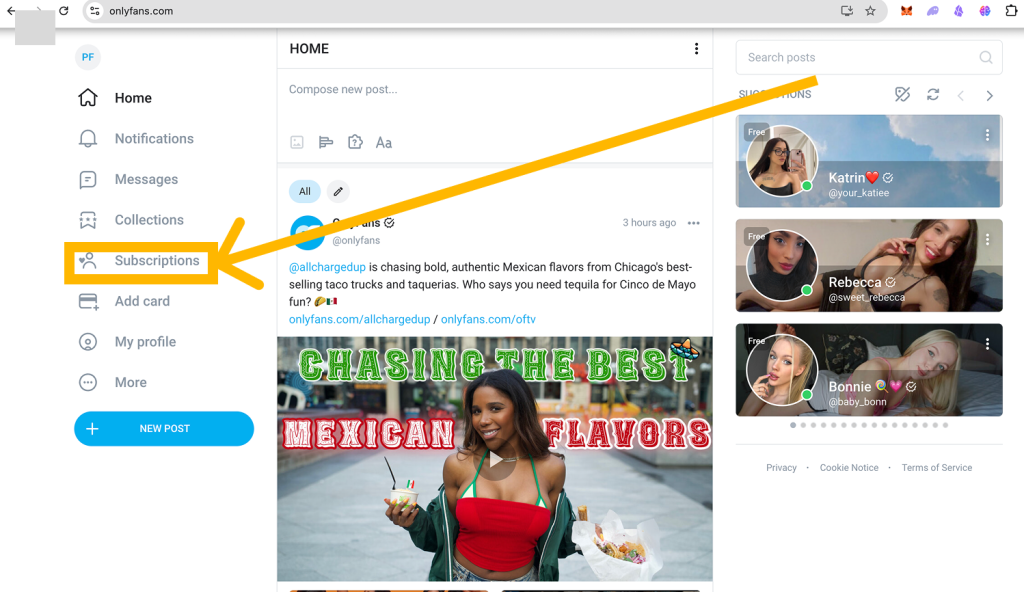
2. Go to the creator’s page that’s been charging you.
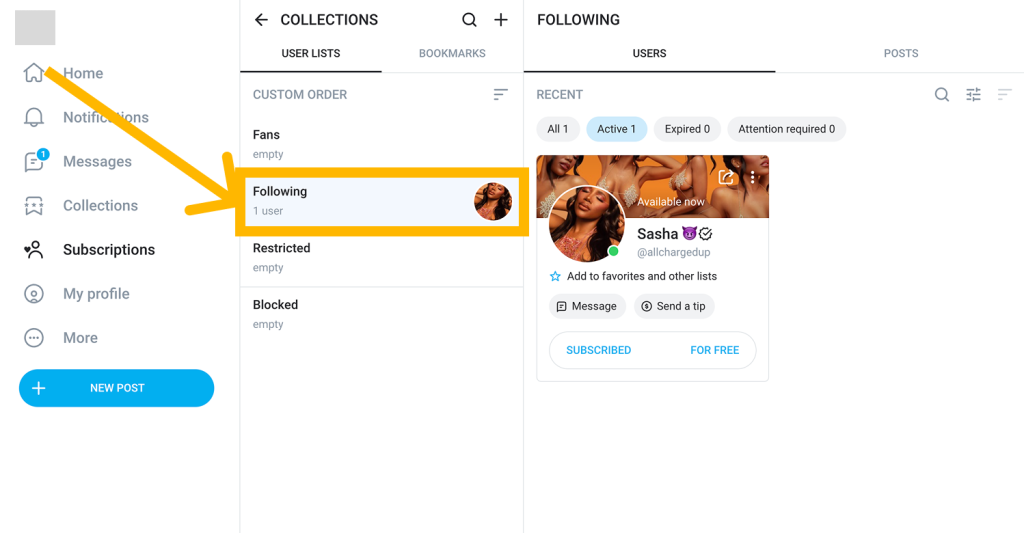
3. Look for that little “Auto-Renew” or “Unsubscribe” button.
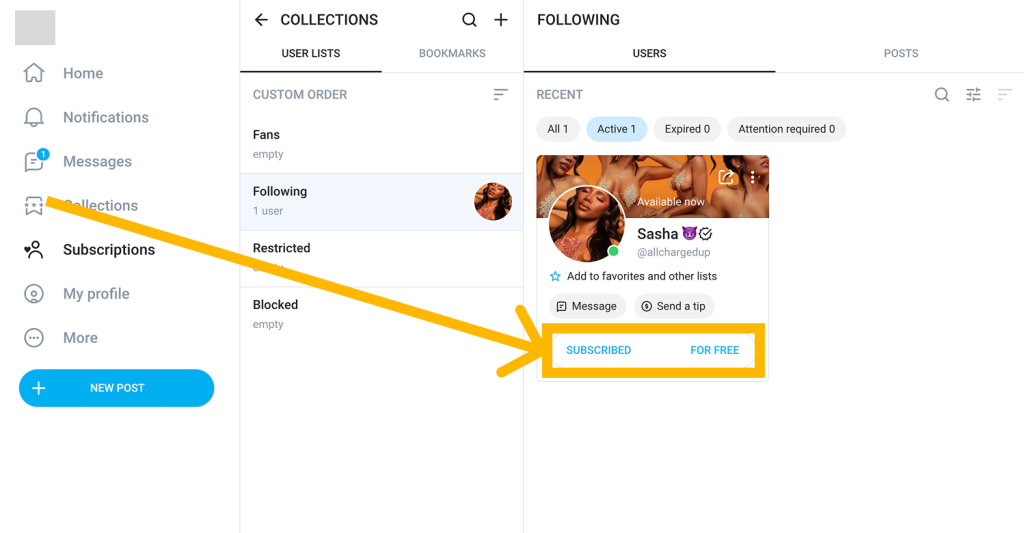
4. Click it, and select “Turn Off Auto-Renew” or “Unsubscribe”.
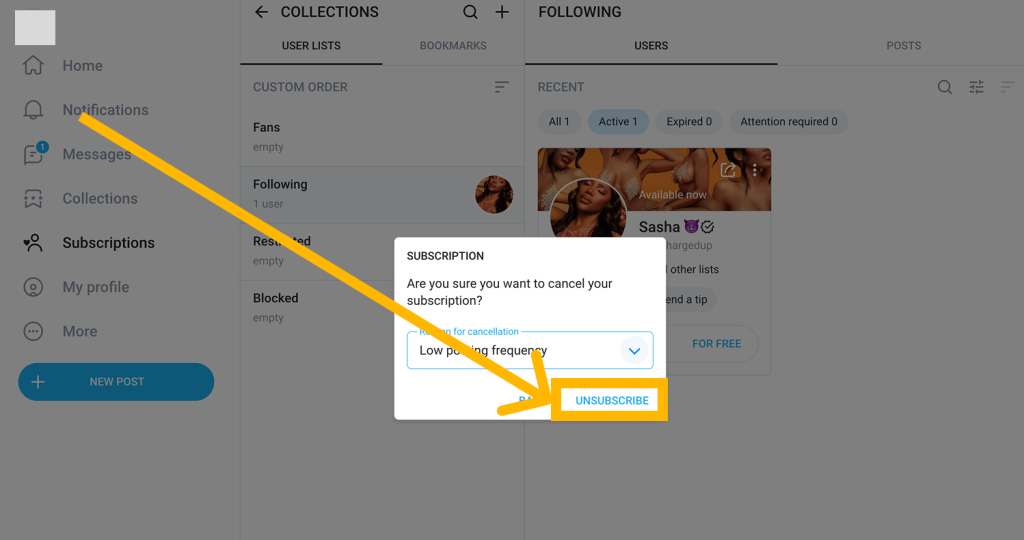
5. You did it!
You’ll still have access until the end of the billing cycle. No need to binge content in one night. (Unless you want to.)
📱 How to Cancel OnlyFans on Mobile (Yes, It’s the Same, Just Smaller)
- Open your browser (not an app—OnlyFans doesn’t do official apps).
- Log in and go to the creator’s page.
- Tap the Auto-Renew toggle.
- Confirm like a boss.
Boom. Canceled.
What Happens After You Cancel?
You’ll still have access to that creator’s content until your paid time is up. Then the gate closes. No awkward goodbyes. No pushy emails. Just silence… and a few extra bucks in your account.
Can You Get a Refund?
OnlyFans says: absolutely not. Once you pay, it’s game over. That’s why we recommend canceling before your renewal date sneaks up.
Want to Delete Your Whole OnlyFans Account?
Going full detox? Here’s how to nuke your account:
- Head to Settings > Account.
- Scroll down and hit Delete Account.
- Confirm with a verification code.
- Watch your digital sins dissolve into the ether.
Just make sure you’ve canceled all active subs first. Otherwise, it won’t let you go.
FAQs Nobody Asked But You’ll Thank Us For
Will the creator know I canceled?
Nope. No passive-aggressive “user has left the chat” messages. It’s completely private.
Can I come back later?
Sure. OnlyFans doesn’t hold grudges. Re-subscribe anytime if the vibes are right.
Do I need to email support?
Heck no. That’s like emailing Netflix to pause your account. This is 2025, not 2002.
🎉 Cancelmysubs: Never Forget a Subscription Again
If OnlyFans was just one of your surprise expenses this month, it might be time to get your financial life together (no shame—we’re all messy).
Use CancelMySub.app to track, cancel, and outsmart every sneaky subscription you forgot you had. It’s like a bouncer for your bank account.